Mobile-first field operations platform
Built for the phone in the field.
Works without signal.
MiracleTek is a mobile-first field operations platform that captures and validates source data at the point of activity and securely connects it through the MiracleTek Gateway to the business systems that operational and financial leadership rely on.
- 1Mobile FirstDesigned for the phone and tablet on the job.
- 2Works OfflineRecords and photos held securely on the device until successfully delivered.
- 3Capture OnceEntered at the point of work, by the person doing it.
- 4Controlled WorkflowChecks, approvals and holds that stay in force.
- 5Multiple DestinationsConfigured to deliver validated data to the systems that need it.
What MiracleTek is
The layer between operational work and your business systems
MiracleTek connects the point where operational activity occurs with the business systems that depend on accurate and timely information. Operators capture and validate transactions on a phone or tablet, and the MiracleTek Gateway delivers them to your ERP, payroll, finance, maintenance, safety, document-management, inventory and other systems, which remain the systems of record. The mobile workflows are how operators work with MiracleTek. The platform connects operational activity to the business systems that depend on it.
The problems it solves
Paper and re-keying
Forms filled in on paper or in spreadsheets are typed in again in the office. MiracleTek records the work once, at the point of work, by the person doing it.
Information that arrives late
Dockets and checklists come back at the end of the shift or the week. In MiracleTek the record is held securely on the device as it is entered, even with no signal, and delivered as soon as a connection is available.
Missing details and photos
Gaps are usually found after the event. Required fields, valid values and photos are checked while the transaction is being captured.
Controls that rely on memory
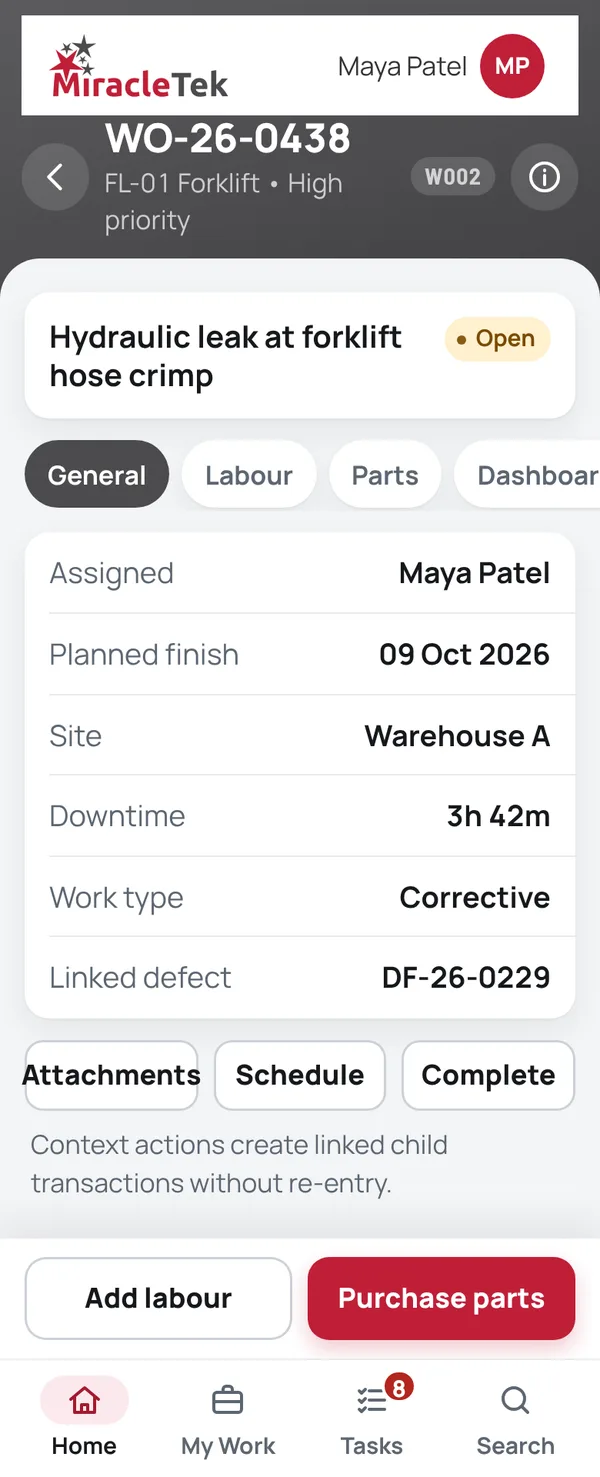
A failed prestart raises a defect and holds the asset. Finishing a work order does not return a machine to service: release is its own authorised step.
Approvals chased by phone and email
Purchase orders, timesheets and receipt exceptions need a decision from a named person with the authority to make it, never the requester, and wait in Approvals until it is made.
Office systems that don’t suit where the work happens
ERP screens are built for the desk. MiracleTek gives crews simple phone screens, and your existing systems stay the systems of record.
Why source data matters
Operational and financial information is only as good as its source data
In operational businesses, important information originates where the work happens. When source data arrives late, incomplete, incorrectly coded or without adequate validation, the effects flow through payroll, purchasing, inventory, maintenance, assets and project reporting, and ultimately into the General Ledger. The result is delayed visibility of operational and financial performance.
- Operational activityWork happens in the field, workshop, warehouse, depot, plant, project or vehicle.
- Mobile captureThe person doing the work records it on a phone or tablet, when and where it happens.
- Validation at sourceChecked as it is entered, reducing the time between operational activity and validated information.
- Secure transmissionValidated transactions are submitted over an encrypted connection.
- MiracleTek GatewayRoutes each validated transaction to the appropriate business system.
- Your business systemsPayroll, procurement, inventory, maintenance, ERP and other operational systems.
- Financial systemsWhere applicable, those systems update the processes that feed the General Ledger.
- TransparencyLeadership sees operational activity and its financial consequences sooner.
More than replacing paper
MiracleTek brings the point where work happens closer to the business systems and people that depend on accurate, timely information.
Operational and financial alignment
Validated operational transactions flow into the business systems and processes that ultimately support financial reporting. Earlier, better-validated source data improves the quality and timeliness of the information flowing through those systems and into the General Ledger.
A more timely view of earnings
Leadership sees earnings and operational performance sooner, without waiting for operational information to arrive and be corrected.
WIP, working capital and cash
Earlier, validated source data supports better control of work in progress and better management of working capital to optimise the cash conversion cycle.
Improving the timeliness and validation of operational source data helps keep operational and financial information more closely aligned, providing leadership with greater transparency over business performance, WIP, working capital and cash conversion.
The objective: capture and validate better source data at the point of activity, giving leadership earlier visibility to make informed operational and financial decisions.
1 · Mobile First
Mobile First. For phones and tablets on iOS and Android.
Mobile First is fundamental to MiracleTek, not a slogan. The people closest to an activity are best placed to capture its source information, wherever the work happens: workshops, warehouses, depots, projects, plants, vehicles, construction sites and mining operations. MiracleTek puts source-data capture and validation in their hands, reducing the time between work being done and validated information reaching the systems and people that depend on it.
- Phones and tablets, iOS and AndroidThe primary experience wherever the work happens. Crews use the devices they already carry.
- Made for real conditionsLarge text and buttons for gloves, sun and one-handed use.
- Uses the devicePhotos from the camera are attached to the record they belong to.
- On the home screenOpens from the home screen like any other app.
- To and from where the work happensValidated transactions flow from the operation to the business, while relevant information and instructions flow back to the people doing the work.
Desktop and browser use support the wider workflow. MiracleTek's operational experience is designed around the phone.
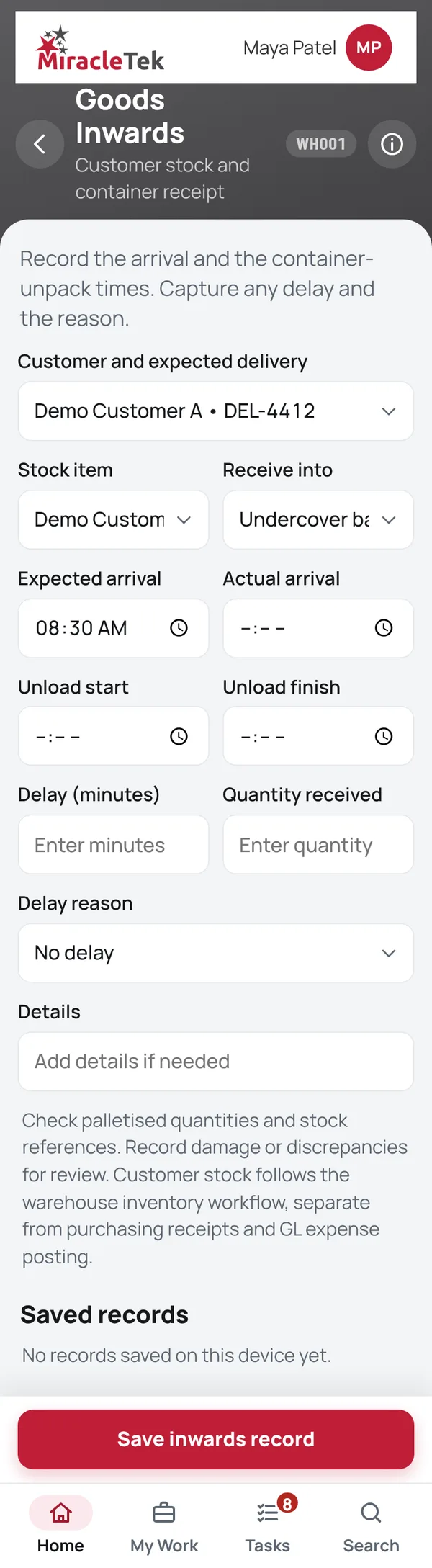
2 · Works Offline
Keeps working when the signal drops
Pits, sheds, basements and remote roads. Crews keep recording work and taking photos without coverage.
- Held securely on the deviceRecords and photos are held securely on the phone or tablet from the moment they are entered until delivery is confirmed.
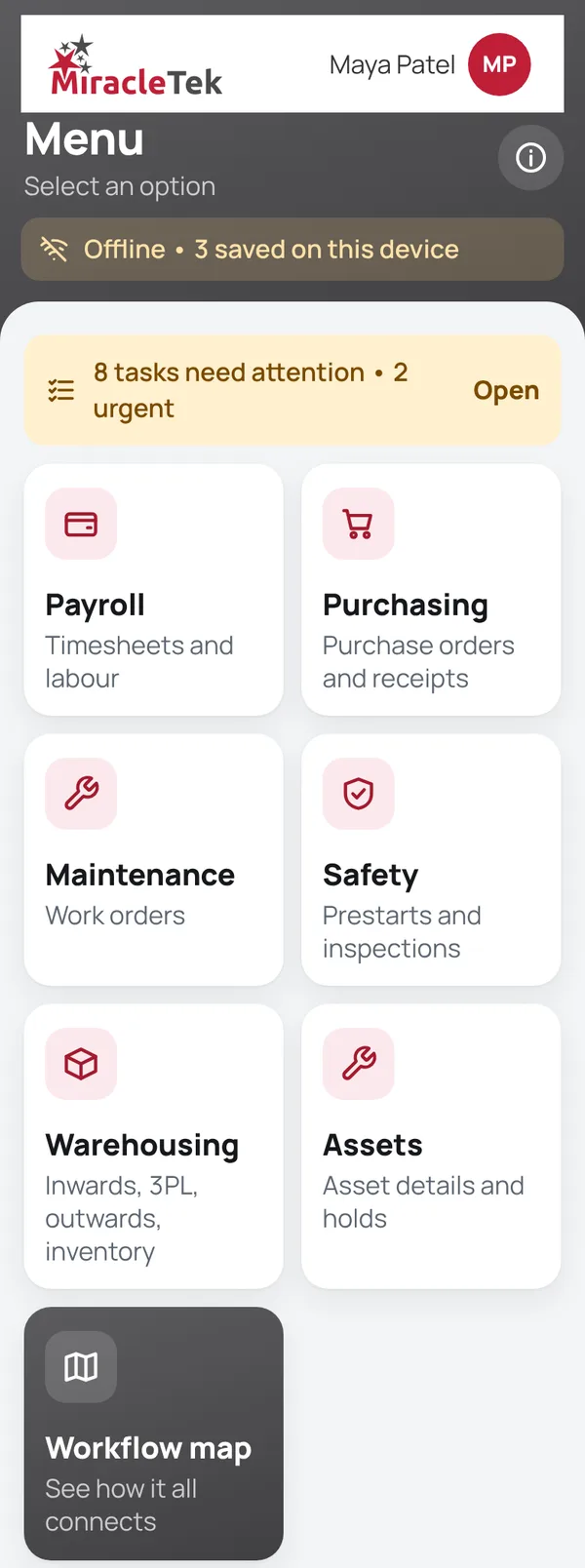
- Clear about what is savedThe app shows when it is offline and how many records are waiting to be delivered.
- Checks still applyRequired fields, photos and approvals are enforced offline, not only when connected.
Offline • 3 saved on this device
When a connection returns, validated transactions are submitted over an encrypted connection through the MiracleTek Gateway to your nominated systems.
3 · Capture Once
Recorded at the point of work, once
The operator, fitter or storeperson enters the record where the work happens. No paper to re-key at the end of the shift, and no second copy to keep in step.
- Checked as it is enteredRequired fields, photos and valid values are checked as the transaction is captured.
- Linked, not re-enteredA defect carries into the work order, and parts ordered from the work order keep its references.
- Who and whenEach record keeps the person and time that created it.
4 · Controlled Workflow
Checks and approvals that stay in place
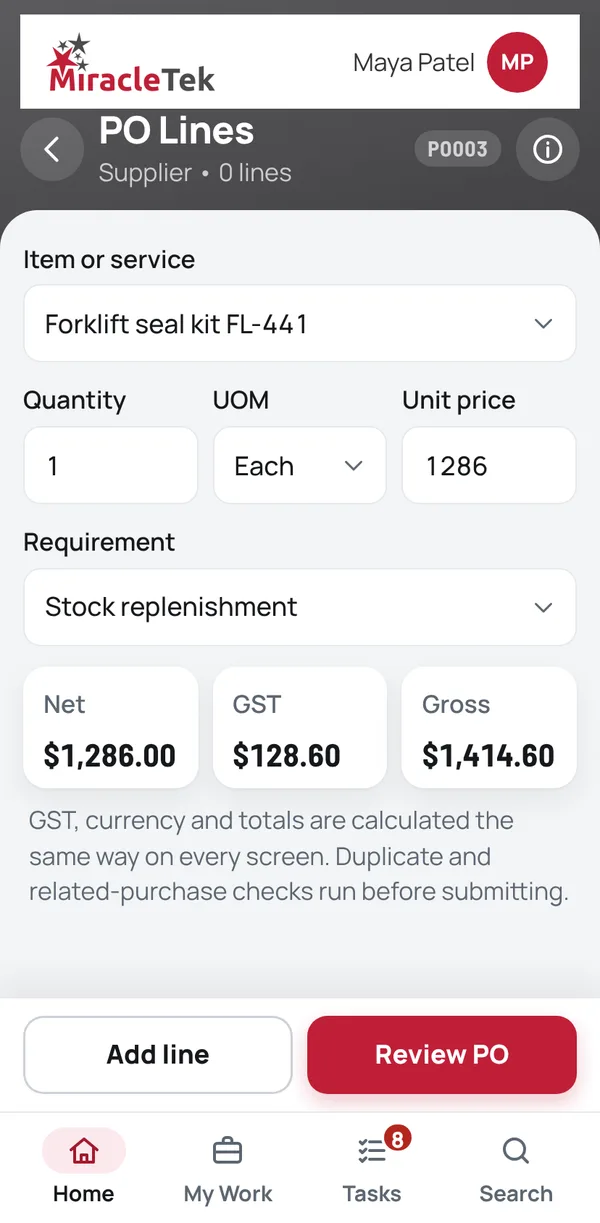
Each record moves through the steps your business sets, and decisions stay with the people authorised to make them.
Release is a separate step
Finishing a work order does not put a machine back into service. Release from a hold or isolation is its own authorised step.
Approvals by authority
Purchase orders, timesheets and receipt exceptions need approval from a named person with the authority to decide them, never the requester.
Clear audit trail
Every step, decision and comment travels with the record to your nominated systems.
Nothing lost in transit
A transaction stays securely available for controlled retry until its delivery is confirmed.
5 · Multiple Destinations
Capture once. Deliver to the systems that need it.
A validated transaction may need to reach more than one person or business system. MiracleTek captures it once and routes it through the MiracleTek Gateway to the appropriate destinations.
Integration
Works with your systems. No replacement needed.
MiracleTek is the operational layer. Your ERP, payroll, finance, asset, safety and document systems stay where they are and remain the systems of record. The MiracleTek Gateway connects the places where the work happens to them, routing each validated transaction to the system you nominate for it.
Value at every level
What it means for each part of the business
The same record serves the person doing the work, the supervisor who approves it and the managers who rely on it.
Management
- Records captured at the source, with who, when and photos.
- Approvals made by named people with the authority to make them, recorded with each transaction.
- Dashboards for assets, procurement and an executive view.
- Your existing systems stay the systems of record. No replacement project.
Supervisors
- My Tasks and Approvals in one place, on the phone.
- A failed prestart raises a defect and holds the asset straight away.
- Timesheets reviewed and approved before they become payroll-ready hours.
- Receipt exceptions and stock holds come to the right person to decide.
Frontline crews
- Simple screens with large text and buttons, made for gloves and sun.
- Keeps working with no signal, and shows what is waiting to be delivered.
- Photos taken on the phone stay with the record they belong to.
- No paper to hand in at the end of the shift.
Results depend on how your operation works today. A trial on one site shows what MiracleTek means for yours before you extend it.
Client branding
Your workforce. Your brand. Powered by MiracleTek.
MiracleTek can be configured to reflect your organisation's brand, replacing the standard MiracleTek logo and colour treatment with your own. Your teams see an application aligned with your organisation, while the underlying platform is discreetly identified as "Powered by MiracleTek".
- Your logo, primary colours and visual identity.
- Presented as part of your organisation's operational environment, not a generic third-party forms app.
- MiracleTek stays discreetly visible: Powered by MiracleTek.
Good morning, Sam
Powered by MiracleTek
What MiracleTek does
Where the platform is applied
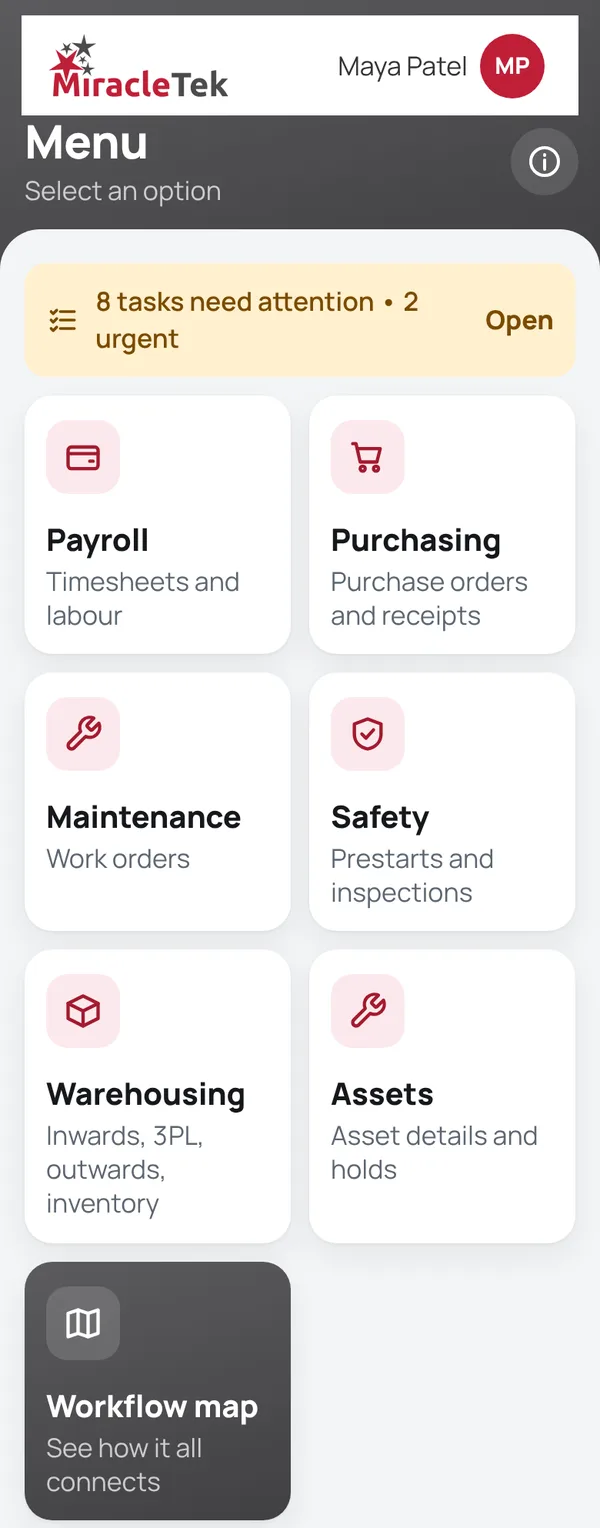
Timesheets, Purchasing, Safety, Maintenance, Warehousing, Assets and Administration are applications of the same platform. Each captures and validates source data where the work happens and delivers it through the MiracleTek Gateway. The menus below are named as they appear in the app, and each module has its own page showing its screens, operational workflow, controls and where its records can be routed.
Timesheets
Home tile: Payroll›- My Work Today
- Start Work
- Edit Time Entry
- Confirm Timesheet Week
- Weekly Timesheet
- Manage Timesheet Approvals
- Timesheet Approval Detail
- Active Session
- Labour Dashboard
- Labour Review
- Payroll
- Payroll-ready hours
Safety & Inspections
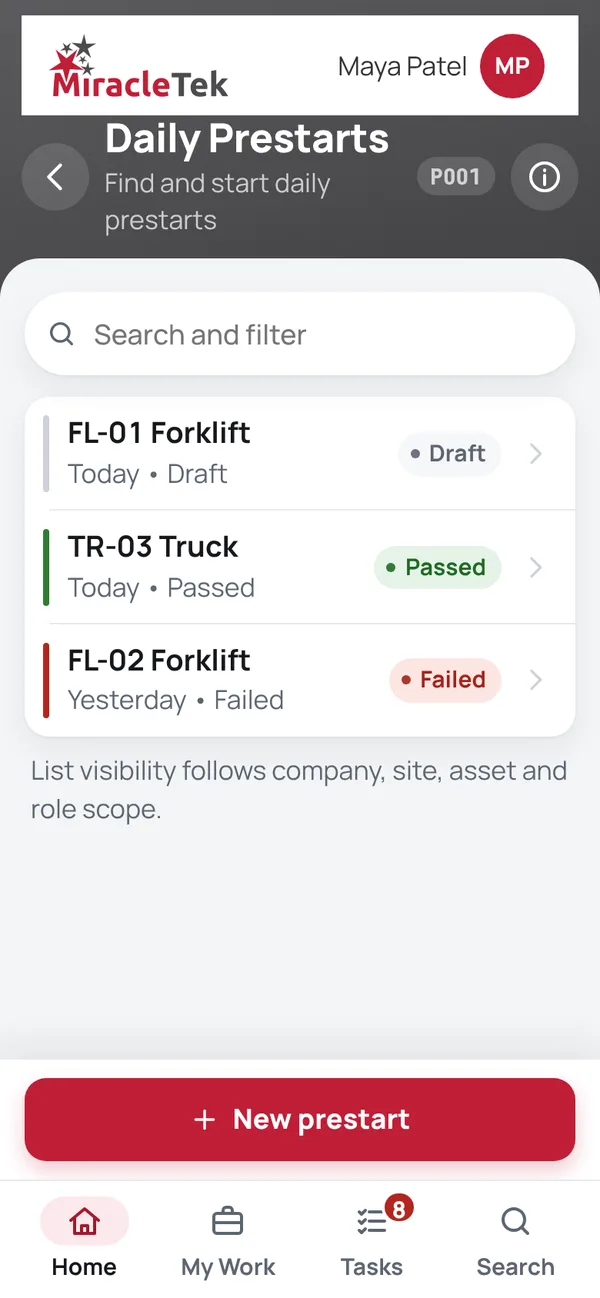
Home tile: Safety›- Daily prestarts
- Daily Prestarts
- New Prestart
- Prestart Checklist
- Defects
- Submit Prestart
- Asset inspections
- Asset Inspections
- New Inspection
- Inspection Form
- Inspection Defect
- Inspection Submission
Warehousing
Home tile: Warehousing›- Goods Inwards (Time / Delays)
- 3PL Management
- Goods Outwards
- Inventory Management
- Inventory Security
- Warehouse Dashboard
Across every module
Industries
Made for operational businesses, wherever the work happens
Mining and resources
Prestarts, isolations and plant maintenance on remote sites.
Civil and construction
Plant checks, hire equipment, crew time and purchasing on the job.
Contracting and maintenance
Work orders, parts and labour recorded against each machine and client.
Transport and logistics
Vehicle and trailer checks, defects and workshop work.
Warehousing and 3PL
Receipts, dispatch, stock holds and customer instructions.
Your operation
Workflows, controls and approval rules are configured to match how your business operates.
Getting started
How a rollout works
MiracleTek is developed in Australia for operational businesses, wherever the work happens.
- Walk through your workWe look at the workflows, approvals and systems you use today.
- Configure your workflowsChecklists, controls, approval limits and destinations are configured for your operation.
- Trial on one siteA small crew uses it on real jobs.
- Roll outExtend to more sites and modules once the trial is signed off.
Leadership
Errol Keyt
Founder & CEO
Errol Keyt is the founder of MiracleTek. He is a senior finance and commercial transformation executive with more than 20 years of CFO experience across civil construction, mining services, transport, logistics, industrial services and enterprise technology.
Throughout his career, Errol saw a recurring problem: operational and financial information was only as reliable and timely as the source data feeding it. When source data arrived late, incomplete or without adequate validation, leadership's view of business performance was delayed too.
That experience led him to found MiracleTek on the principle that mobility is fundamental to solving the problem. Putting the capture and validation of source data in the hands of the people doing the work reduces the time between operational activity and validated information reaching the business systems that depend on it.
Earlier, better-validated source data strengthens the information that ultimately flows into the General Ledger. It gives leadership a more timely view of earnings and operational performance, and better control of WIP and working capital to optimise the cash conversion cycle.
The objective is straightforward: capture and validate better source data at the point of activity, and give leadership the timely operational and financial visibility it needs to make informed decisions.
See it on a phone, on your own work
Request a demo. We will walk through a prestart, a work order and a receipt on a phone, including what happens with no signal.